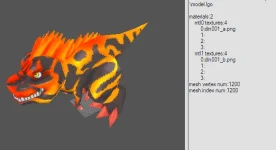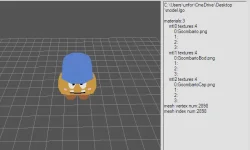



Hey everyone, in the last few days I've been dedicating myself, in a self-taught way, to researching and learning how to create new skins. (not ez)
Bearing in mind that there aren't many resources available today on how to do this, or at least I'm unaware of any so far.
What I've learned so far is:
• How to visualize Appareals easily using PkoViewer.
• I found two open-source files on Git ( / )
Basically, Lab-Paser converts the .lab file into a .dae file, and in you can visualize this 'Lance Skeleton'.
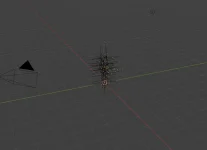
Am I going down the right path? I have no idea...
Everything I learn or find related to TOP/PKO I will share here from now on.
Okay, so in theory, the goal is to get the texture files and other files to work together with this.
I would appreciate any help or opinions on this; I am genuinely interested. I have some personal experience (localhost) in creating servers (programming in Lua, C#, JSON, Python, but I am primarily proficient in Vibe Coding and/or Prompt Engineering with AI and Photoshop).
Thank you in advance.
Bearing in mind that there aren't many resources available today on how to do this, or at least I'm unaware of any so far.
What I've learned so far is:
• How to visualize Appareals easily using PkoViewer.
• I found two open-source files on Git ( / )
Basically, Lab-Paser converts the .lab file into a .dae file, and in you can visualize this 'Lance Skeleton'.
Am I going down the right path? I have no idea...
Everything I learn or find related to TOP/PKO I will share here from now on.
Okay, so in theory, the goal is to get the texture files and other files to work together with this.
I would appreciate any help or opinions on this; I am genuinely interested. I have some personal experience (localhost) in creating servers (programming in Lua, C#, JSON, Python, but I am primarily proficient in Vibe Coding and/or Prompt Engineering with AI and Photoshop).
Thank you in advance.